
This article is part of a series about creating GPX files for South Korea’s Cross Country Cycle Route.
The GPX file produced in part 1 has a few limitations. The file includes many segments. The segments are not in any order. They don’t form a linked chain of paths. They can run in opposing directions. Therefore, the file is not as useful as it could be.
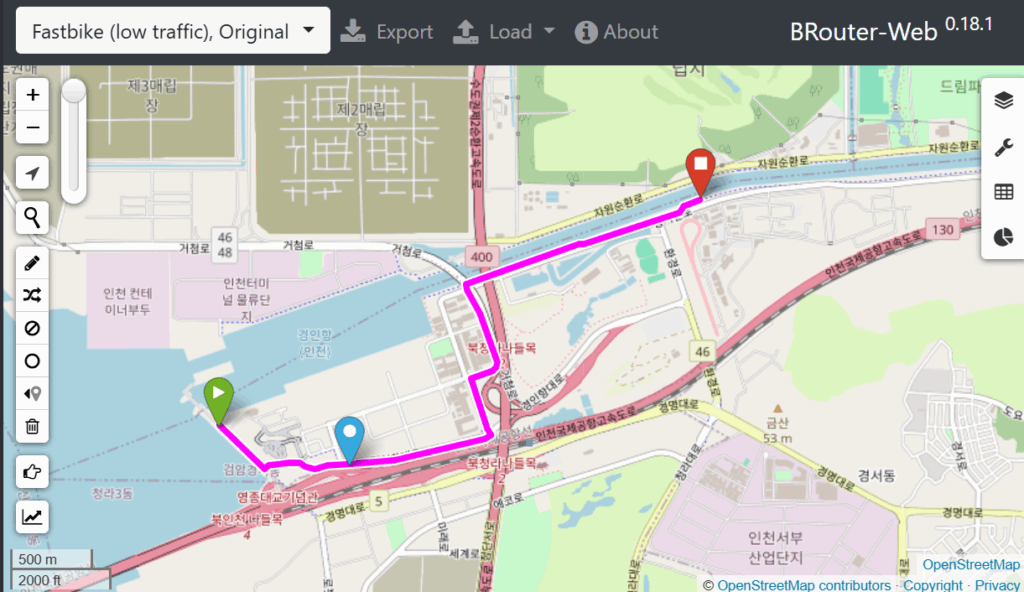
To create a more useful file, BRouter-Web (free, online) can be used to reconstruct the entire route, from start to finish, as one continuous route.
The process is simple.
- Open two browser windows side by side.
- Have BRouter-Web on one side. Use the pan and zoom controls to find the start of the route.
- Have GPX Studio on the other. Load the GPS file created in part 1. Use the pan and zoom controls to find the start of the route.
- In BRouter, select a sensible routing option. I like ‘Fastbike, Low traffic’. It affects the routing decisions made by the tool.
- Select the pencil tool to start drawing.
- Click the start point.
- Click on additional points, following the intended route. BRouter will create a route to connect the points.
- Keep the two browser windows views in sync as you move through the route, by panning and zooming.
- There’s a BRouter tool for removing the last point (or press Z), if there has been an error.
- You can drag the suggested route to a more desirable route as you please.
- Export the route when it is complete.
Leave a Reply